

Introduction:
During certain scenarios we must integrate external API inside Dynamics CRM. As an example, a Wikimedia free api was used to explain this.
Step 1:
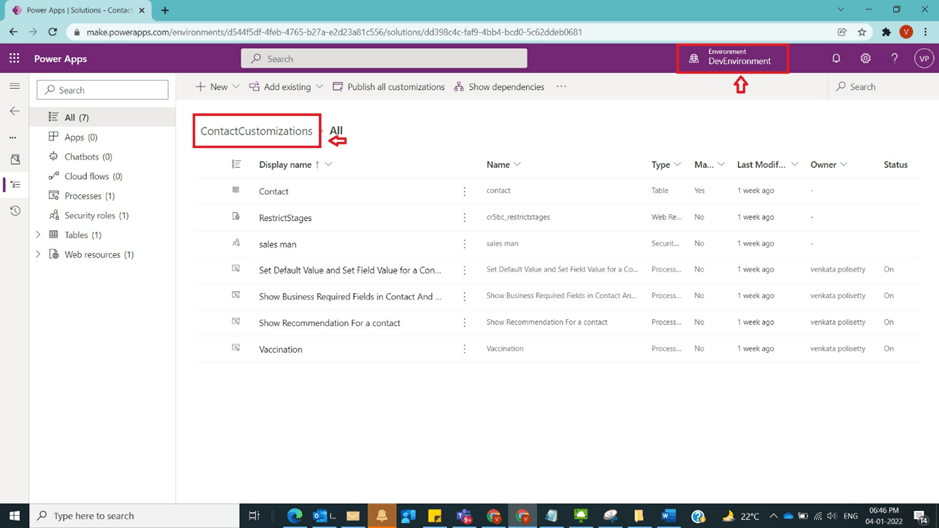
Login to the required environment and select required solution [Contact Customizations Solution in this case] as shown in the below figure.
Step 2:
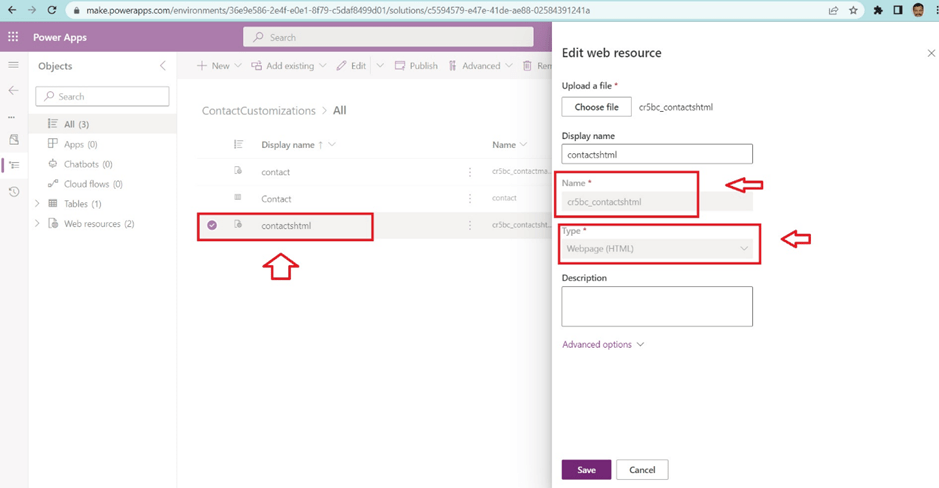
After Step 1, create a Webresource of type html and upload an empty html as shown in the below figure.
Step 3:
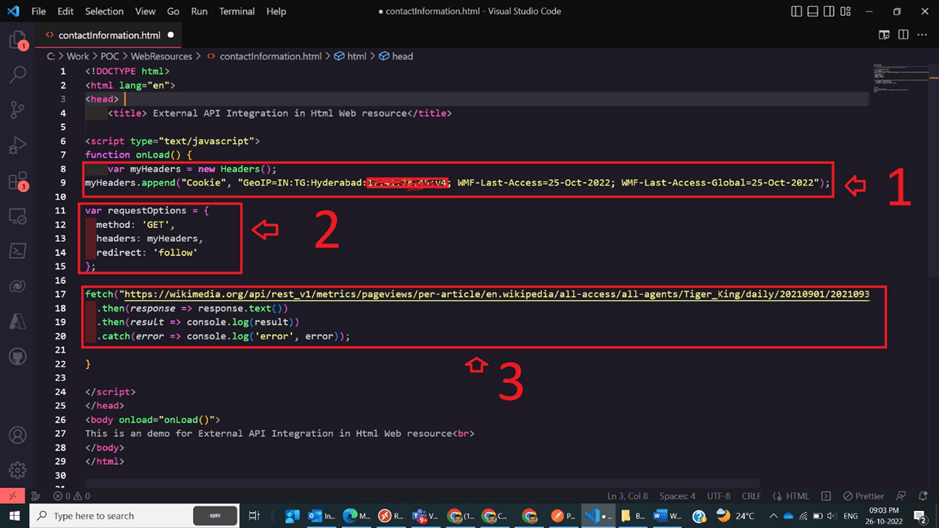
After Step 2, open html and prepare header and request option write the below code
<!DOCTYPE html>
<html lang=”en”>
<head>
<title> External API Integration in Html Web resource</title>
<script type=”text/javascript”>
function onLoad() {
var myHeaders = new Headers();
myHeaders.append(“Cookie”, “GeoIP=IN:TG:Hyderabad:19.61:70.78:v4; WMF-Last-Access=25-Oct-2022; WMF-Last-Access-Global=25-Oct-2022”);
var requestOptions = {
method: ‘GET’,
headers: myHeaders,
redirect: ‘follow’
};
fetch(“https://wikimedia.org/api/rest_v1/metrics/pageviews/per-article/en.wikipedia/all-access/all-agents/Tiger_King/daily/20210901/20210930”, requestOptions)
.then(response => response.text())
.then(result => console.log(result))
.catch(error => console.log(‘error’, error));
}
</script>
</head>
<body onload=”onLoad()”>
This is an demo for External API Integration in Html Web resource<br>
</body>
</html>
as shown in the below figure.
Step 4:
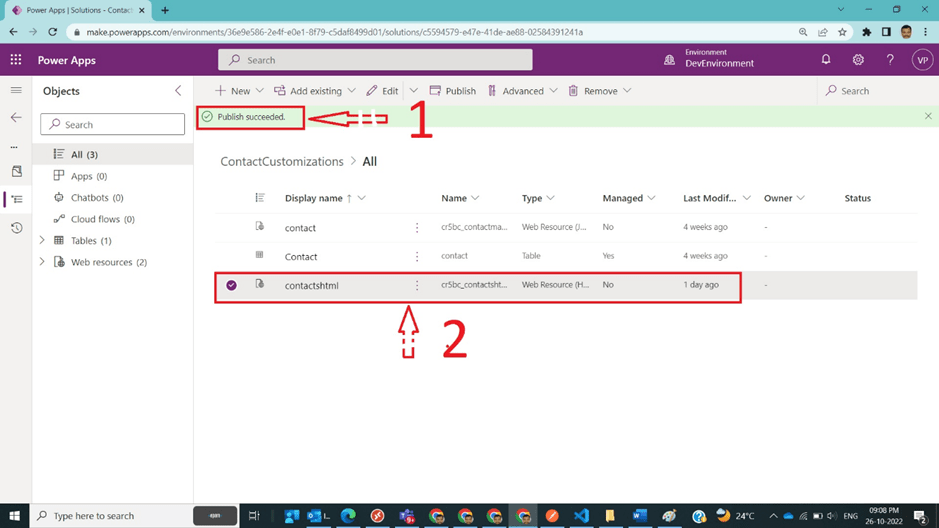
After Step 3, save Webresource and publish it as shown in the below figure
Step 5:
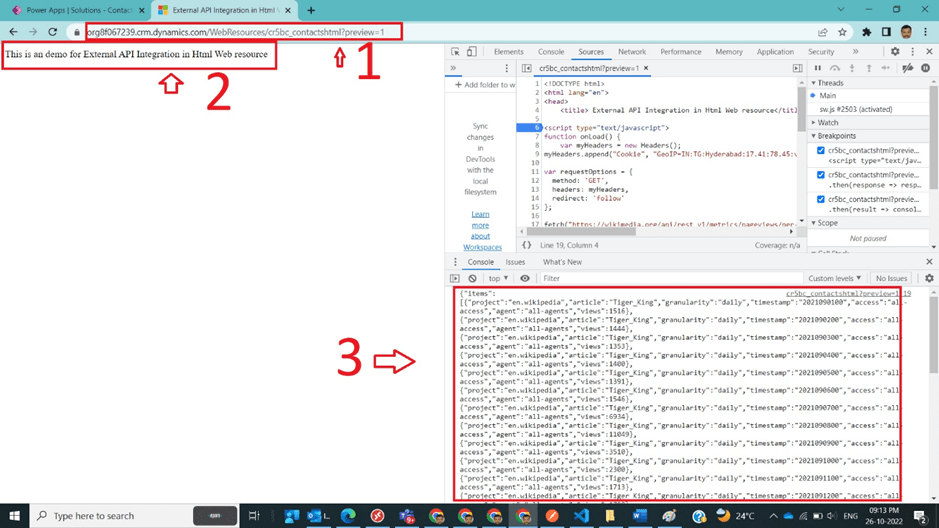
After Step 4, open Webresource in a new tab and open console window and observe json response from external api as shown in the below figure.
Note:
- Make sure to publish all customizations and upload html file.
- Here I don’t need to pass any key in the header, but in general secret key must be passed for authentication.
- Universal format json/xml to be considered from the external service to consume
Conclusion: In this way, one can easily integrate external API inside html Webresource in Dynamics CRM.
Discover more from Common Man Tips for Power Platform, Dynamics CRM,Azure
Subscribe to get the latest posts sent to your email.
 Common Man Tips for Power Platform, Dynamics CRM,Azure
Pingback: Back To Basics : Curated List of Articles in a Single Page – Common Man Tips for Power Platform, Dynamics CRM,Azure