


It is important to configure external tenants for different scenarios. In this post we can see how to create a tenant step by step so that it can be used as an example creation of external Entra ID in Power Pages integration instead of Azure B2C for external users.
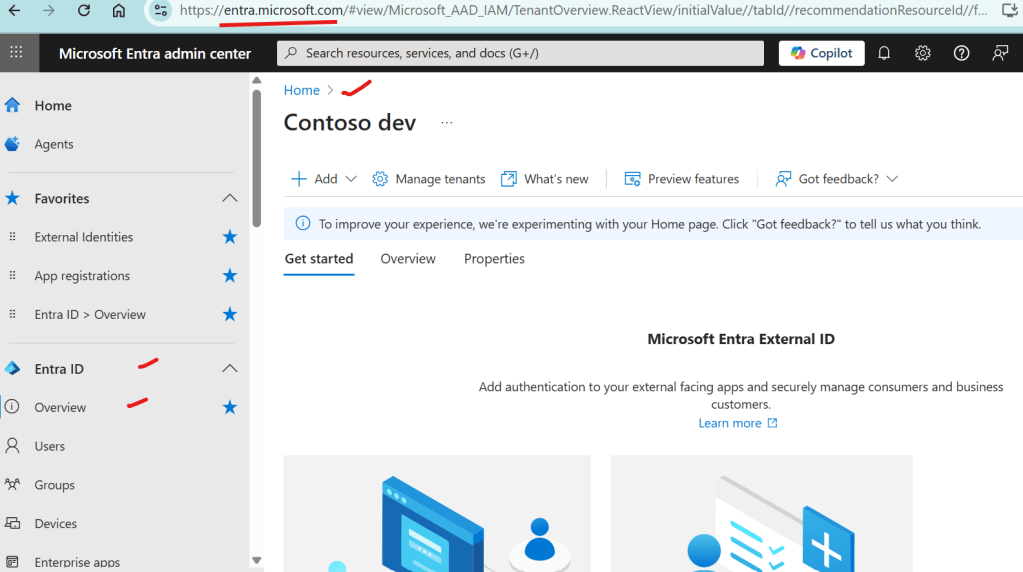
Step 1 : Login to https://entra.microsoft.com/ as an Entra Administrator for your tenant as shown below
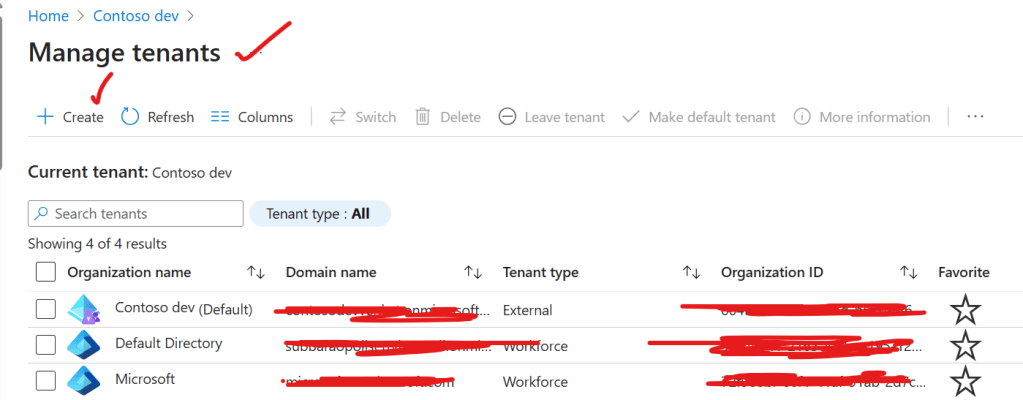
Step 2 : Now click on Manage tenants and click on create as shown below
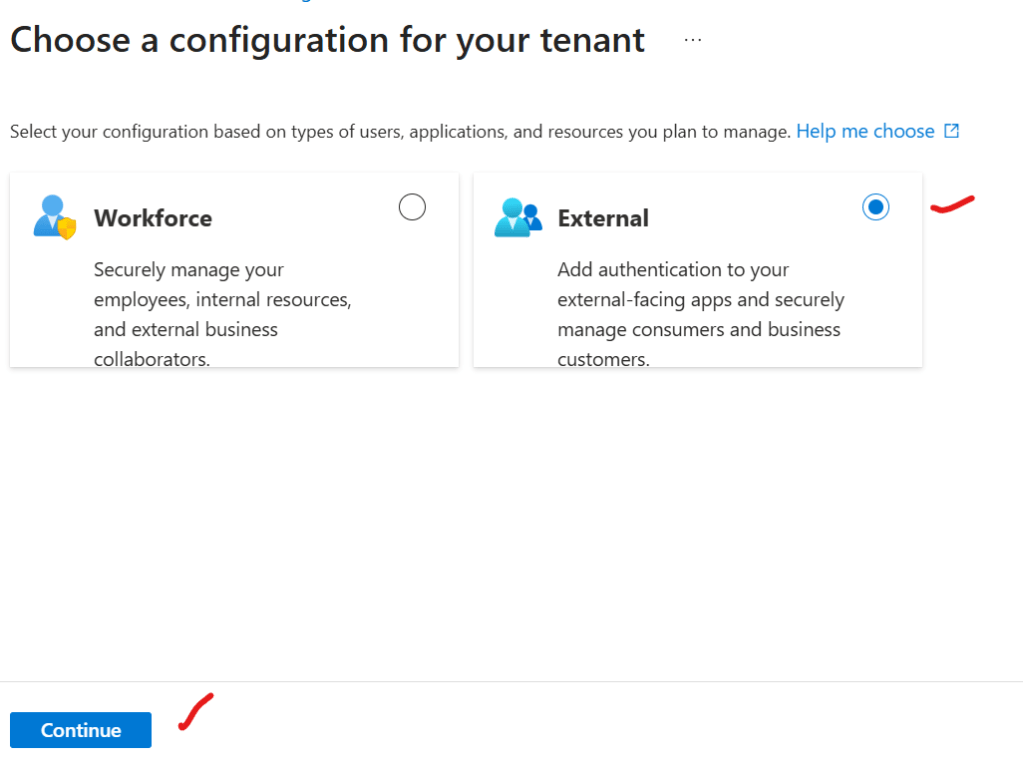
Step 3 : After Step 2 , click on external and click on create as shown below
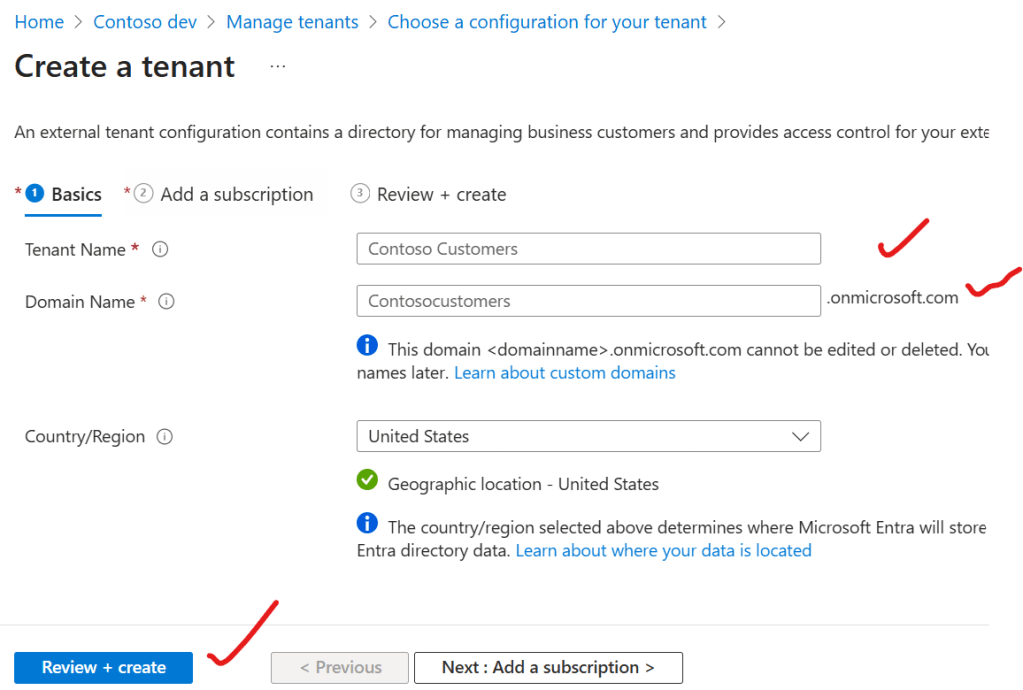
Step 4 : After Step 3, provide tenant name,domain name and country/region and then click on create as shown below
Step 5 : After Step 4, new tenant will be created and it is ready to be consumed.
Conclusion : In this way one can easily create any tenant in Entra to use it as external authentication
Note :
- Please make sure you login with Entra Admin , generally development team will not have access to it, please take help of admins to do this tenant creation
- Another common issue is to have a valid subscription.
- All existing Azure B2C needs to be converted to Entra tenant . As no new Azure B2C tenants are allowed to create
Discover more from Common Man Tips for Power Platform, Dynamics CRM,Azure
Subscribe to get the latest posts sent to your email.
 Common Man Tips for Power Platform, Dynamics CRM,Azure