

Introduction:
During certain scenarios it is required to call Unbound action. To call a unbound action we can do it with javascript , plugins and power automate. In all the other methods except power automate you have to write explicit logic to call a unbound action. As an example, we call a generic unbound action from power automate.
Step 1:
Login to the required Power Apps environment using URL make.powerapps.com by providing username and password and click on Flows on the left-hand side as shown in the below figure.

Step 2:
After Step 1, Click on New Flow and select instant cloud flow and provide the trigger as Manually trigger a flow and click on Create as shown in the below figure.

Step 3:
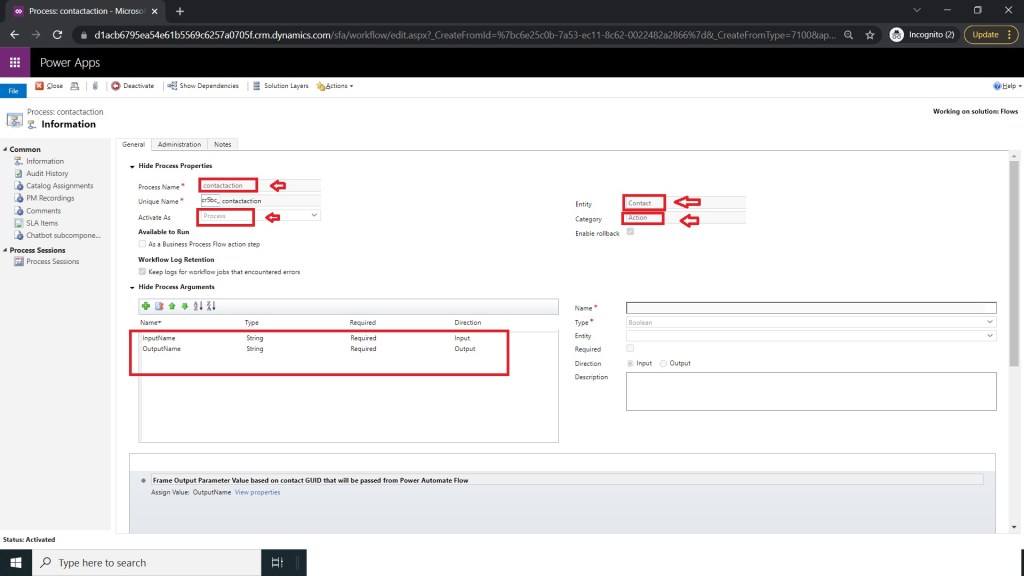
After Step 2 ,you have to build a unbound action with input and output arguments of string type as shown in the below figure.
Step 4:
After Step 3 ,make sure to use Assign value Step and then on click of properties button a popup will open there provide the value for outputName by providing full name of the contact and activate action after closing popup as shown in the below figure.

Step 5:
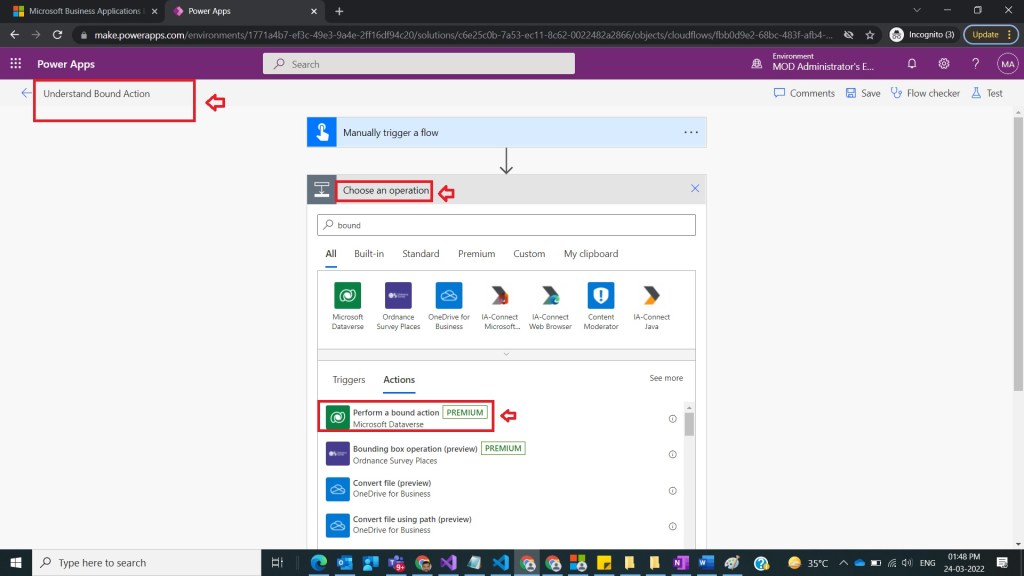
After Step 4 , go back to the flow screen which we have created in the step 2 and name the flow as Understand UnBound Action and under actions select perform a unbound action as shown in the below figure.
Step 6:
After Step 5, under perform a unbound action provide the following inputs as
Action Name : new_genericaction
InputArgument : Input Argument [ Can provide any string value / text]
as shown in the below figure.

Step 7:
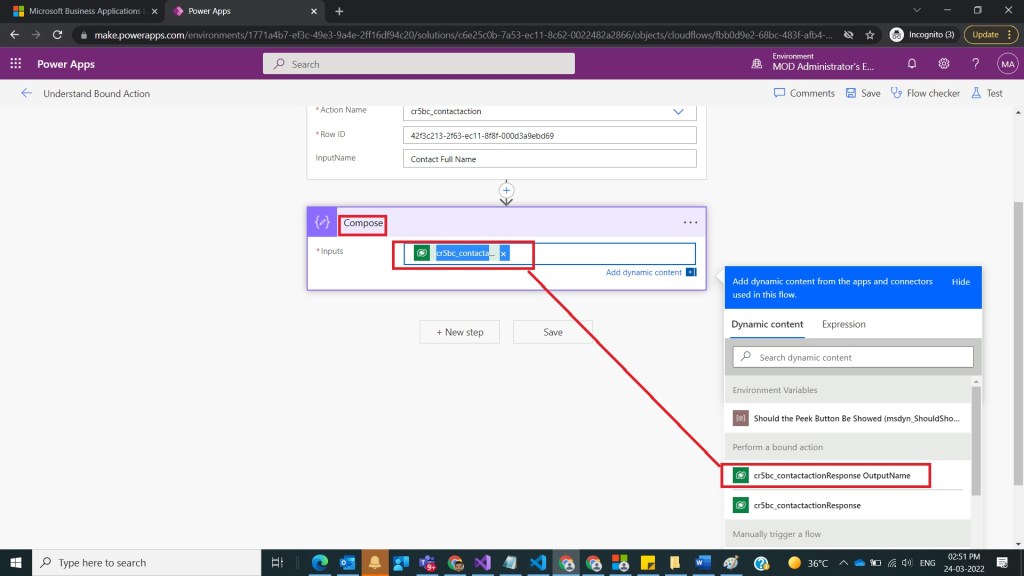
After Step 6, take compose action and select outputArgument as an input
Inputs : @{outputs(‘Perform_an_unbound_action’)?[‘body/OutputArgument’]}
as shown in the below figure.
Step 8:
After Step 7, save and test the flow and observe output as shown in the below figure.

Note:
- If you don’t see output Name in the result json , then the issue was in the unbound action you have not assigned any value to output Name.
- Make sure to publish all customizations of the solution where unbound action was created.
- Microsoft Documentation found here.
Conclusion: In this way we can call unbound action from power automate without writing explicit code.
Discover more from Common Man Tips for Power Platform, Dynamics CRM,Azure
Subscribe to get the latest posts sent to your email.


Pingback: Rewind March 2022 – Common Man Tips for Power Platform, Dynamics CRM,Azure