

In most of the applications it is a common thing to show logged in user name on the top of the page somewhere at corner right . In Traditional Microsoft’s ASP.NET we use GetUserId() method present under Identity libraries present in Microsoft . Then how can we achieve similar functionality where we can write some code dynamically to achieve the same result to get user details. There comes Liquid an open-source template language integrated into power pages where we can perform
- Build custom Web Templates
- Render website’s header and primary navigation bar
1.In order to implement the above given requirement , navigate to the power pages studio and open any of the webpage as shown below
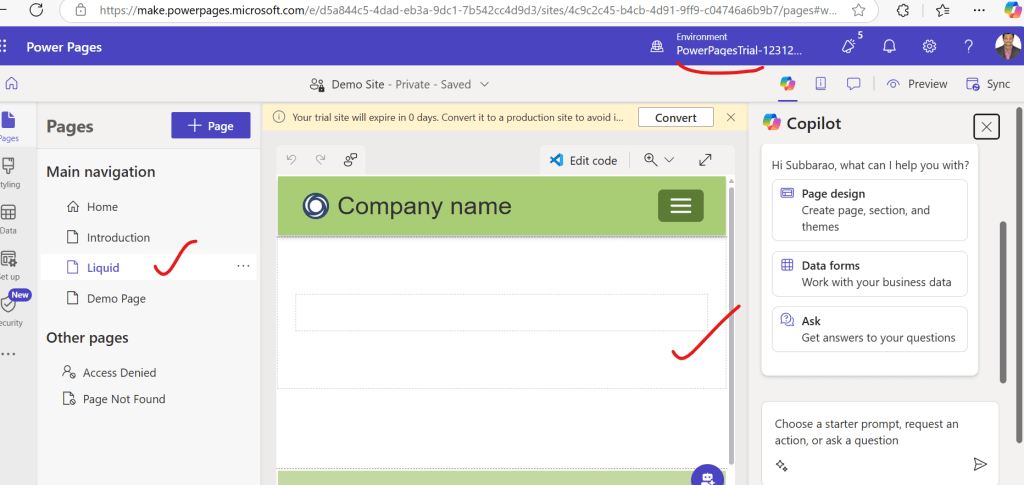
2. After Step 1, now click on edit code icon which navigates to visual studio code online and add the below snippet
Hello {{ user.firstname | upcase }} from {{ ‘Power Pages’ }}. The date is {{ ‘now’ | date: ‘MMMM d yyyy’ }}
and save and sync the page , code should like this in visual studio code on the selected Liquid page
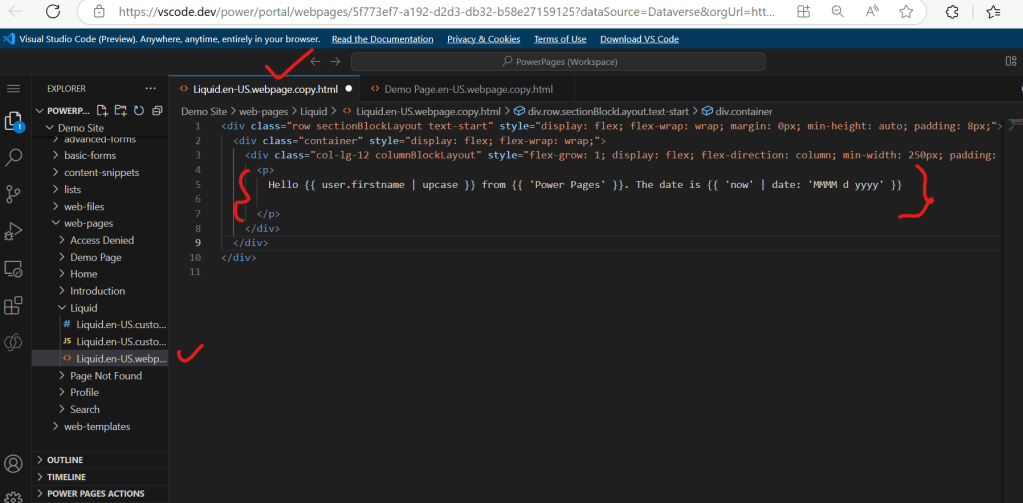
Step 3 : After Step 2 , go to power pages studio and click on preview -> Desktop . We should see the above liquid webpage opens in a new tab with the content without any user name but only with the text as shown below because user did not logged in

Step 4 : After Step 3, in order to see logged in user name , click on sign button and log in with Micrsoft Entra ID as a logged in user experience where we can clearly see logged in user name displays on the Liquid web page that we created earlier as shown below
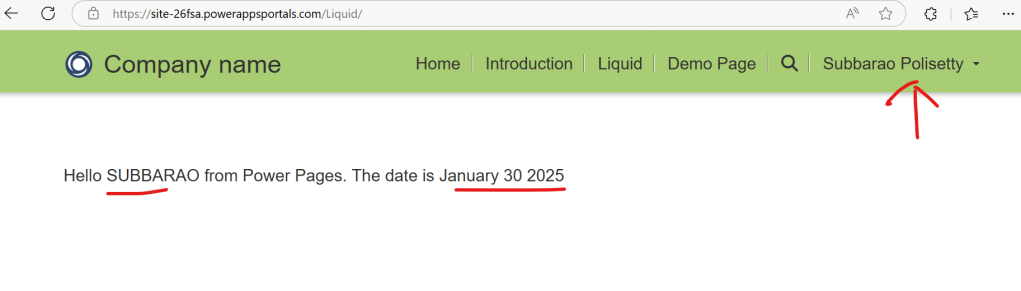
In this way one can easily use Liquid to generate dynamic content in Microsoft Power Pages either by directly writing on the web page or inside web template.
Discover more from Common Man Tips for Power Platform, Dynamics CRM,Azure
Subscribe to get the latest posts sent to your email.
 Common Man Tips for Power Platform, Dynamics CRM,Azure