


One common requirement in any website was to show some message like greeting or welcome one particular logged in user with his name and email id. It is not a good idea to always write code in every page which will be redundant while development of all web pages. So, it is always advisable to separate this piece of code from all webpages and keep this in a content snippet so that it can be easily referenced in all webpages.
In this post will see how this can be achieved in a step by step process
Step 1 : Go to Power Pages management app and create a content snippet Sample_Snippet as shown below
Name: Sample_Snippet
Website: <mention your power pages website>-automatically this value defaults
DisplayName : SampleSnippet
Type : Html
Content Snippet Language : English
HTML :
<P1>Sample </P1>
Step 2:
After Step 1, Go to the desired web page and include above created snippet with the following syntax
{% include 'snippet' snippet_name:'snippetname' %}
like
{% include 'snippet' snippet_name:'Sample_Snippet' %}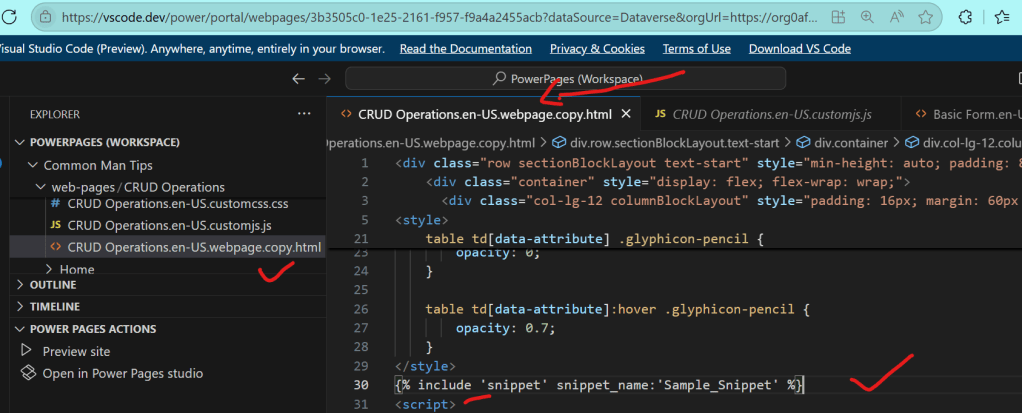
Step 3 : After Step 2, save the webpage ,sync and see the result as shown below
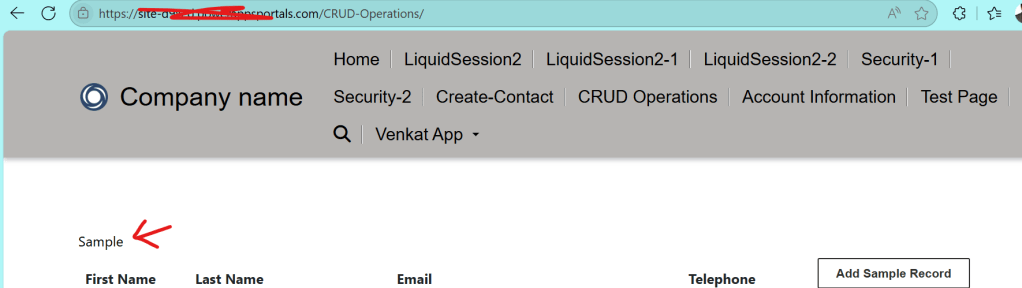
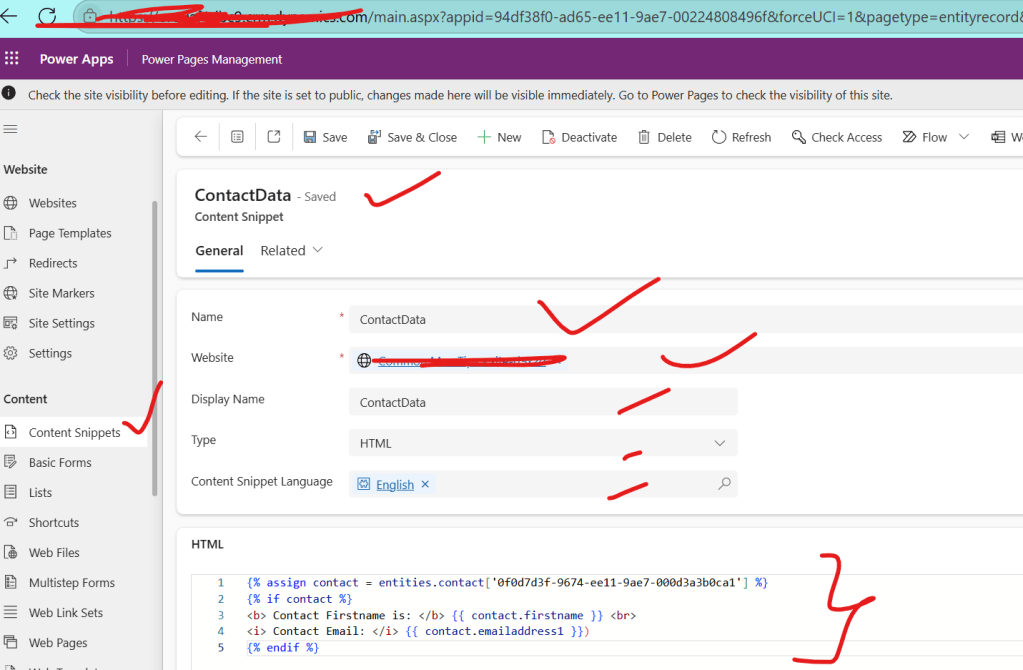
Step 4 : After Step3, now a complex one for a particular user show welcome message can be achieved by using the creating a new code snippet called ContactData and use the below code in that snippet
{% assign contact = entities.contact['0f0d7d3f-9674-ee11-9ae7-000d3a3b0ca1'] %}
{% if contact %}
<b> Contact Firstname is: </b> {{ contact.firstname }} <br>
<i> Contact Email: </i> {{ contact.emailaddress1 }})
{% endif %}
As shown below
Step 5 : Now refer above created snippet in webpage by including below code in the webpage and publish it
{% include 'snippet' snippet_name:'ContactData' %}As shown below

In this way one easily use content snippets in web pages so that webpage code is readable and easy to maintain
Note :
1.Please get the correct contact guid which is used in step 5, by using advanced find on the contact record.
2.
Discover more from Common Man Tips for Power Platform, Dynamics CRM,Azure
Subscribe to get the latest posts sent to your email.
 Common Man Tips for Power Platform, Dynamics CRM,Azure