

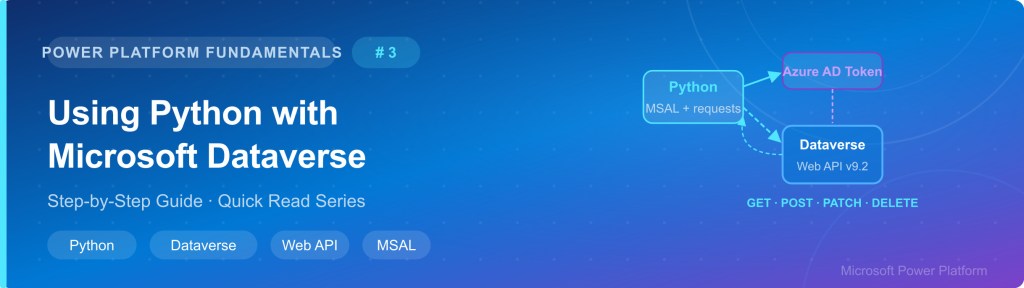
Many developers and architects working with Microsoft Dataverse need to integrate it with external systems, automate data pipelines, or build lightweight tooling — without building a full Power Automate flow or a custom connector.
🚀 1. Problem Context
Python is one of the most widely used languages for integration, data engineering, and automation. Connecting Python directly to Dataverse via the Web API gives you:
- Full CRUD access to any Dataverse table
- Ability to run OData queries, filters, and aggregations
- Programmatic bulk data imports and exports
- Integration with pandas, Azure Functions, notebooks, and more
Without a clear setup guide, developers often struggle with:
- Azure AD app registration and permissions
- Token acquisition with MSAL
- Correct OData query syntax
- Error handling and pagination
🧩 2. Prerequisites
| Requirement | Details |
|---|---|
| Python 3.8+ | Download from python.org |
| Microsoft 365 / Power Platform | Access to an environment with Dataverse enabled |
| Azure Active Directory | Your organization’s Azure AD tenant |
| Admin Access | Permission to register an app and grant API permissions in Azure AD |
| pip packages | requests, msal |
Install the required libraries:
pip install requests msal
☁ 3. Step 1 – Register an App in Azure AD
Before Python can talk to Dataverse, you need to register an application in Azure Active Directory. This gives your Python script a secure identity to authenticate with.
Step-by-Step:
- Go to portal.azure.com and sign in with your Microsoft 365 account
- Navigate to Azure Active Directory → App Registrations → + New Registration
- Enter a name (e.g.,
DataversePythonApp), select Single tenant, and click Register - On the app overview page, copy the Application (client) ID and Directory (tenant) ID
- Go to Certificates & Secrets → New client secret → copy the Value immediately (it will not be shown again)
- Go to API Permissions → Add a permission → Dynamics CRM → Delegated →
user_impersonation - Click Grant admin consent for [Your Org] and confirm
📌 Key Values to Save:TENANT_ID → Your Azure AD Directory (tenant) IDCLIENT_ID → Your app’s Application (client) IDCLIENT_SECRET → The secret value you just createdDATAVERSE_URL → https://yourorg.crm.dynamics.com
🔐 4. Step 2 – Authenticate with Python (MSAL)
We use MSAL (Microsoft Authentication Library) to obtain an OAuth 2.0 bearer token. Every Dataverse Web API call must include this token in the request header.
import msal
import requests

# ---- Configuration ----
TENANT_ID     = 'xxxxxxxx-xxxx-xxxx-xxxx-xxxxxxxxxxxx'
CLIENT_ID     = 'yyyyyyyy-yyyy-yyyy-yyyy-yyyyyyyyyyyy'
CLIENT_SECRET = 'your-client-secret-value'
DATAVERSE_URL = 'https://yourorg.crm.dynamics.com'

# ---- Get Token ----
def get_access_token():
    authority = f'https://login.microsoftonline.com/{TENANT_ID}'
    scope     = [f'{DATAVERSE_URL}/.default']

    app = msal.ConfidentialClientApplication(
        CLIENT_ID,
        authority=authority,
        client_credential=CLIENT_SECRET
    )

    result = app.acquire_token_for_client(scopes=scope)

    if 'access_token' in result:
        print('✅ Token acquired successfully!')
        return result['access_token']
    else:
        raise Exception(f'Token error: {result.get("error_description")}')

token = get_access_token()
Build Reusable Headers
Every API call to Dataverse needs these headers:
def get_headers(token):
    return {
        'Authorization': f'Bearer {token}',
        'OData-MaxVersion': '4.0',
        'OData-Version': '4.0',
        'Accept': 'application/json',
        'Content-Type': 'application/json; charset=utf-8',
        'Prefer': 'return=representation'
    }

headers = get_headers(token)
📌 Why Prefer: return=representation?
This header tells Dataverse to return the full created or updated record in the API response — very useful to immediately get the new record’s ID without a second GET call.
📖 5. Step 3 – READ Records (GET)
Reading data uses a standard HTTP GET request against the Dataverse OData Web API endpoint.
A. Fetch All Accounts
API_BASE = f'{DATAVERSE_URL}/api/data/v9.2'

def get_accounts():
    url = f'{API_BASE}/accounts'
    response = requests.get(url, headers=headers)

    if response.status_code == 200:
        data = response.json()
        accounts = data.get('value', [])
        print(f'Found {len(accounts)} accounts')
        for account in accounts:
            print(f'  - {account["name"]} (ID: {account["accountid"]})')
        return accounts
    else:
        print(f'Error {response.status_code}: {response.text}')
        return []

accounts = get_accounts()
B. GET with OData Filters
Use $select, $filter, $top, and $orderby to refine your query:
def get_filtered_accounts(city='Hyderabad', limit=10):
    params = {
        '$select': 'name,telephone1,emailaddress1,address1_city',
        '$filter': f"address1_city eq '{city}'",
        '$top': limit,
        '$orderby': 'name asc'
    }
    url = f'{API_BASE}/accounts'
    response = requests.get(url, headers=headers, params=params)
    return response.json().get('value', [])

results = get_filtered_accounts('Hyderabad', 5)
for r in results:
    print(r['name'], '|', r.get('telephone1', 'N/A'))
OData Query Cheat Sheet
| OData Parameter | Purpose | Example |
|---|---|---|
$select | Choose specific columns | $select=name,emailaddress1 |
$filter | Filter rows by condition | $filter=address1_city eq 'Hyderabad' |
$top | Limit number of results | $top=50 |
$orderby | Sort results | $orderby=name desc |
$expand | Join a related table | $expand=primarycontactid |
$count | Count total records | $count=true |
✏ 6. Step 4 – CREATE Records (POST)
Creating a record sends a POST request with a JSON body containing the field values for the new record.
def create_account(name, email, phone, city):
    url = f'{API_BASE}/accounts'
    body = {
        'name': name,
        'emailaddress1': email,
        'telephone1': phone,
        'address1_city': city
    }
    response = requests.post(url, headers=headers, json=body)

    if response.status_code == 201:
        new_record = response.json()
        print(f'✅ Created: {new_record["name"]} (ID: {new_record["accountid"]})')
        return new_record['accountid']
    else:
        print(f'❌ Error {response.status_code}: {response.text}')
        return None

new_id = create_account(
    name='TechCorp India',
    email='[email protected]',
    phone='+91-40-12345678',
    city='Hyderabad'
)
🔄 7. Step 5 – UPDATE & DELETE Records
A. Update a Record (PATCH)
PATCH updates only the fields you specify — all other fields remain unchanged:
def update_account(account_id, updates: dict):
    url = f'{API_BASE}/accounts({account_id})'
    response = requests.patch(url, headers=headers, json=updates)

    if response.status_code == 200:
        updated = response.json()
        print(f'✅ Updated: {updated["name"]}')
        return updated
    else:
        print(f'❌ Error {response.status_code}: {response.text}')

update_account(
    account_id=new_id,
    updates={
        'telephone1': '+91-40-99999999',
        'address1_city': 'Bangalore'
    }
)
B. Delete a Record (DELETE)
def delete_account(account_id):
    url = f'{API_BASE}/accounts({account_id})'
    response = requests.delete(url, headers=headers)

    if response.status_code == 204:
        print(f'✅ Deleted account {account_id}')
        return True
    else:
        print(f'❌ Error {response.status_code}: {response.text}')
        return False

delete_account(new_id)
📌 HTTP Status Codes to Know:200 OK → Successful GET201 Created → Record created (POST)204 No Content → Updated or deleted — no body returned400 Bad Request → Check field names or data types401 Unauthorized → Token has expired — get a new one404 Not Found → Record ID does not exist
⚠ 8. Step 6 – Error Handling & Pagination
A. Robust Error Handler
def safe_api_call(method, url, headers, **kwargs):
    try:
        response = requests.request(method, url, headers=headers,
                                    timeout=30, **kwargs)
        response.raise_for_status()
        return response

    except requests.exceptions.HTTPError as e:
        error_body = e.response.json() if e.response.text else {}
        print(f'HTTP Error {e.response.status_code}')
        print(f'Message: {error_body.get("error", {}).get("message", "Unknown")}')

    except requests.exceptions.ConnectionError:
        print('Cannot connect. Check DATAVERSE_URL and network.')

    except requests.exceptions.Timeout:
        print('Request timed out. Try again.')

    return None
B. Handle Pagination
Dataverse returns a maximum of 5000 records per page. Use @odata.nextLink to fetch all pages:
def get_all_records(entity_name):
    url = f'{API_BASE}/{entity_name}'
    all_records = []

    while url:
        response = requests.get(url, headers=headers)
        if response.status_code != 200:
            break
        data = response.json()
        all_records.extend(data.get('value', []))
        url = data.get('@odata.nextLink')  # Next page URL
        print(f'Fetched {len(all_records)} records so far...')

    print(f'Total: {len(all_records)} records')
    return all_records
🧰 9. Step 7 – Best Practices
| ✅ Do This | ❌ Avoid This |
|---|---|
Store credentials in a .env file | Hardcoding secrets directly in the script |
Set timeout=30 on every request | No timeout — leads to hanging applications |
| Check status codes before using response data | Assuming all API calls succeed |
| Refresh token before it expires (1 hour lifetime) | Using an expired token and getting 401 errors |
Use $select to fetch only needed columns | Fetching all columns on large tables |
| Use pagination for large datasets | Assuming all records fit in a single response |
🚀 10. Full Working Example
Here is a complete, reusable DataverseClient class that wraps all CRUD operations:
import os, msal, requests
from dotenv import load_dotenv

load_dotenv()  # Load credentials from .env file

TENANT_ID     = os.getenv('TENANT_ID')
CLIENT_ID     = os.getenv('CLIENT_ID')
CLIENT_SECRET = os.getenv('CLIENT_SECRET')
DATAVERSE_URL = os.getenv('DATAVERSE_URL')
API_BASE      = f'{DATAVERSE_URL}/api/data/v9.2'

class DataverseClient:
    def __init__(self):
        self.token = self._get_token()
        self.headers = {
            'Authorization': f'Bearer {self.token}',
            'OData-MaxVersion': '4.0', 'OData-Version': '4.0',
            'Accept': 'application/json',
            'Content-Type': 'application/json',
            'Prefer': 'return=representation'
        }

    def _get_token(self):
        app = msal.ConfidentialClientApplication(
            CLIENT_ID,
            authority=f'https://login.microsoftonline.com/{TENANT_ID}',
            client_credential=CLIENT_SECRET
        )
        result = app.acquire_token_for_client(
            scopes=[f'{DATAVERSE_URL}/.default']
        )
        return result['access_token']

    def get(self, entity, params=None):
        r = requests.get(f'{API_BASE}/{entity}',
                         headers=self.headers, params=params, timeout=30)
        r.raise_for_status()
        return r.json().get('value', [])

    def create(self, entity, data):
        r = requests.post(f'{API_BASE}/{entity}',
                          headers=self.headers, json=data, timeout=30)
        r.raise_for_status()
        return r.json()

    def update(self, entity, record_id, data):
        r = requests.patch(f'{API_BASE}/{entity}({record_id})',
                           headers=self.headers, json=data, timeout=30)
        r.raise_for_status()
        return r.json()

    def delete(self, entity, record_id):
        r = requests.delete(f'{API_BASE}/{entity}({record_id})',
                            headers=self.headers, timeout=30)
        r.raise_for_status()
        return True

# ---- Usage ----
dv = DataverseClient()

# Read accounts
accounts = dv.get('accounts', {'$select': 'name,emailaddress1', '$top': 5})

# Create a new account
new = dv.create('accounts', {'name': 'Test Co', 'emailaddress1': '[email protected]'})

# Update it
dv.update('accounts', new['accountid'], {'name': 'Test Co Updated'})

# Delete it
dv.delete('accounts', new['accountid'])
.env File (Never commit to source control)
TENANT_ID=xxxxxxxx-xxxx-xxxx-xxxx-xxxxxxxxxxxx
CLIENT_ID=yyyyyyyy-yyyy-yyyy-yyyy-yyyyyyyyyyyy
CLIENT_SECRET=your-secret-here
DATAVERSE_URL=https://yourorg.crm.dynamics.com
🧭 11. Summary
| Operation | HTTP Method | Status Code |
|---|---|---|
| Read All Records | GET | 200 |
| Read Single Record | GET | 200 |
| Create Record | POST | 201 |
| Update Record | PATCH | 200 / 204 |
| Delete Record | DELETE | 204 |
📌 Useful Links:
Dataverse Web API Docs → docs.microsoft.com
MSAL Python Library → github.com/AzureAD/microsoft-authentication-library-for-python
OData Query Guide → OData v4.0 URL Conventions
Azure Portal → portal.azure.com
Conclusion: In this way one can easily work with dataverse with python
Discover more from Common Man Tips for Power Platform, Dynamics CRM,Azure
Subscribe to get the latest posts sent to your email.

