

Introduction:
In Power Automate, generic arithmetic operations like Greater will be used to validate provided integer values. As an example, an integer variable used to work with Greater function.
Step 1:
Login to the required Power Apps environment using URL make.powerapps.com by providing username and password and click on Flows on the left-hand side as shown in the below figure.

Step 2:
After Step 1, Click on New Flow and select instant cloud flow and provide the trigger as Manually trigger a flow and click on Create as shown in the below figure.

Step 3:
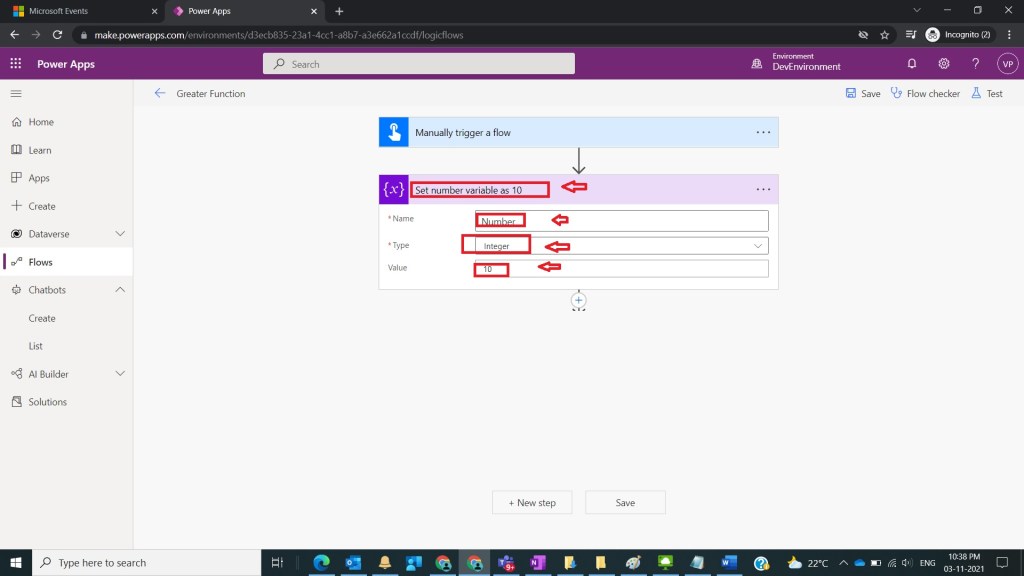
After Step 2, name flow as Greater Function and take initialize variable and name it as Set number variable as 10 with the following fields
Name : Number
Type : Integer
Value : 10
as shown in the below figure.
Step 4:
After Step 3, take compose action and name it as Verify number is greater than 15 and provide
Inputs: greater(value: integer|float|string, compareTo: integer|float|string)
As
greater(variables(‘Number’),15)
and click on ok/ update as shown in the below figure.

Step 5:
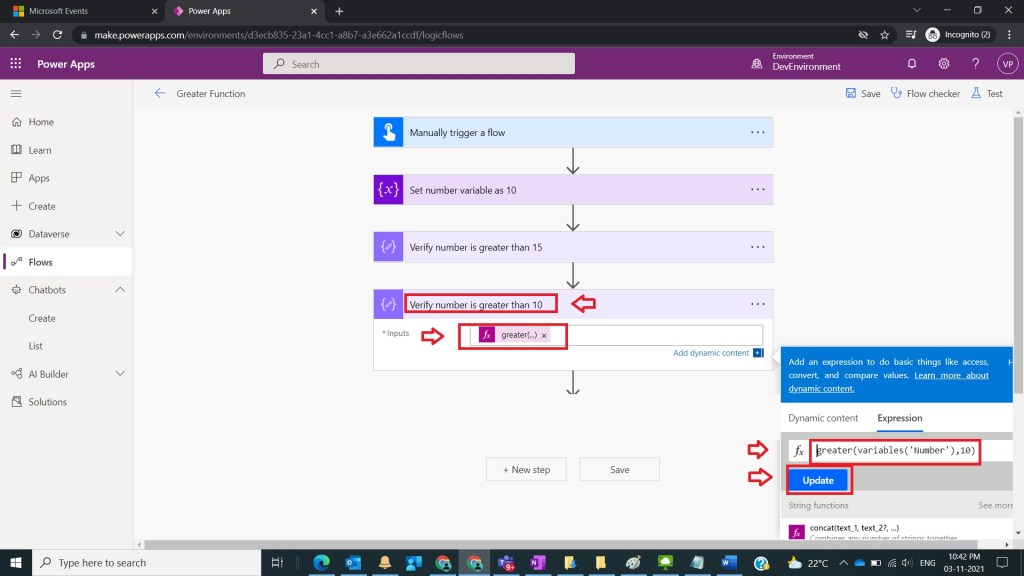
After Step 4, take compose variable and name it Set the Verify number is greater than 10 and provide
Inputs : greater(variables(‘Number’),10)
And click on ok/update as shown in the below figure.
Step 6:
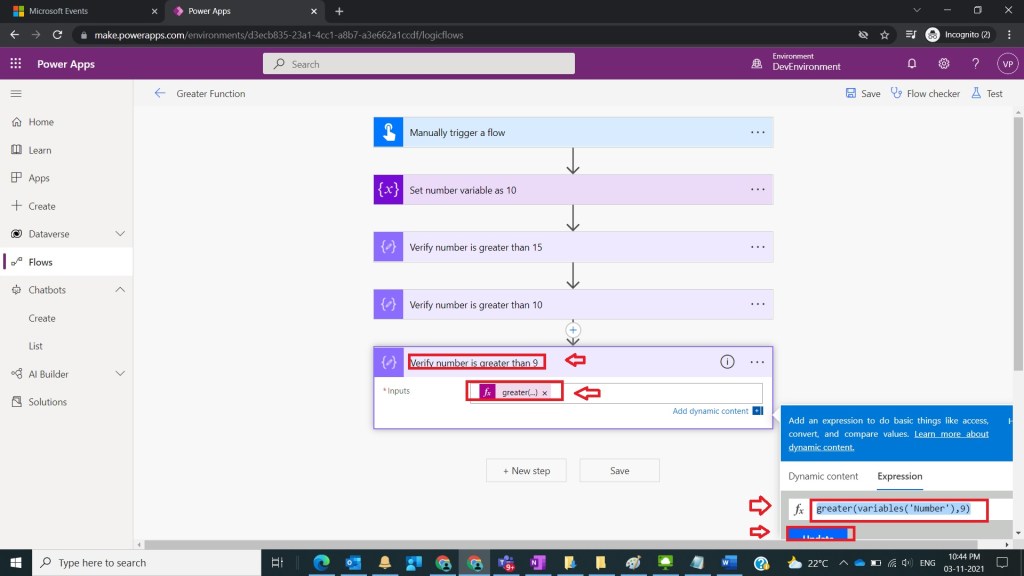
After Step 5, take compose variable and name it as Verify number is greater than 9 and provide
Inputs : greater(variables(‘Number’),9)
And click on Ok/ Update as shown in the below figure
Step 7:
After Step 6, run and test the flow as shown in the below figure

Note:
- Make sure to save and run the flow whenever you try expressions.
- MS documentation is found at here
Conclusion: In this way we can use Greater function so that basic comparison between integers in power automate can be done easily.
Discover more from Common Man Tips for Power Platform, Dynamics CRM,Azure
Subscribe to get the latest posts sent to your email.


Pingback: Rewind November 2021 – Common Man Tips for Power Platform, Dynamics CRM,Azure